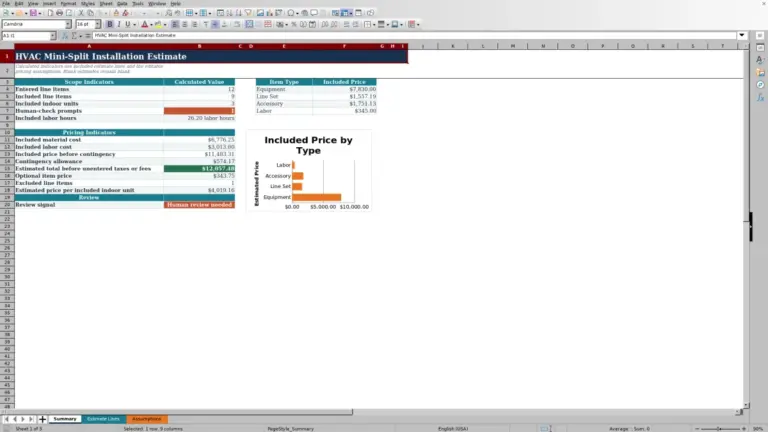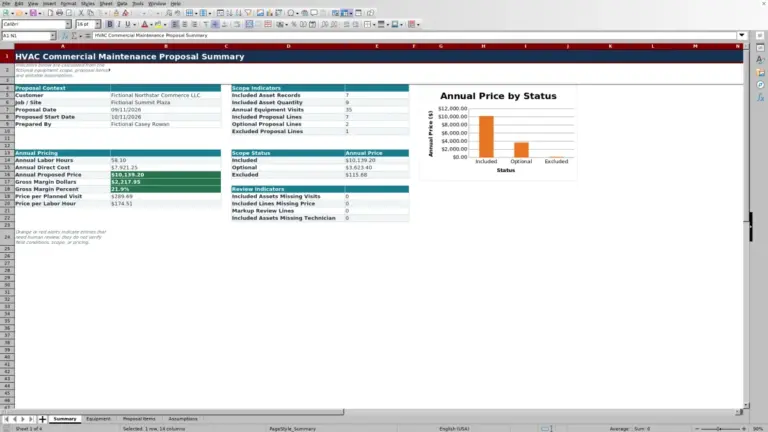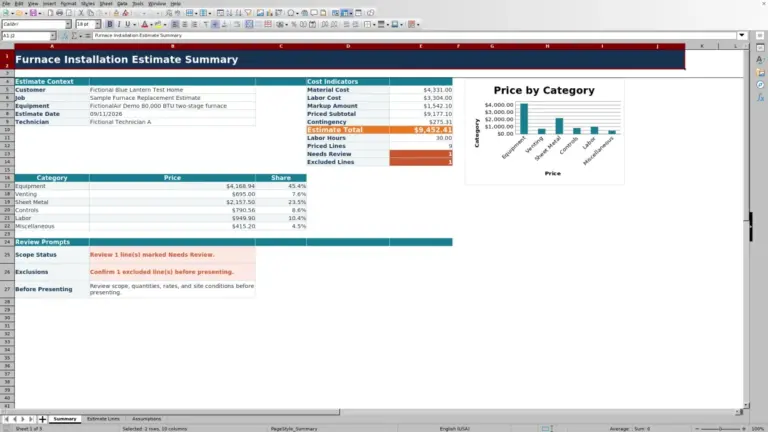
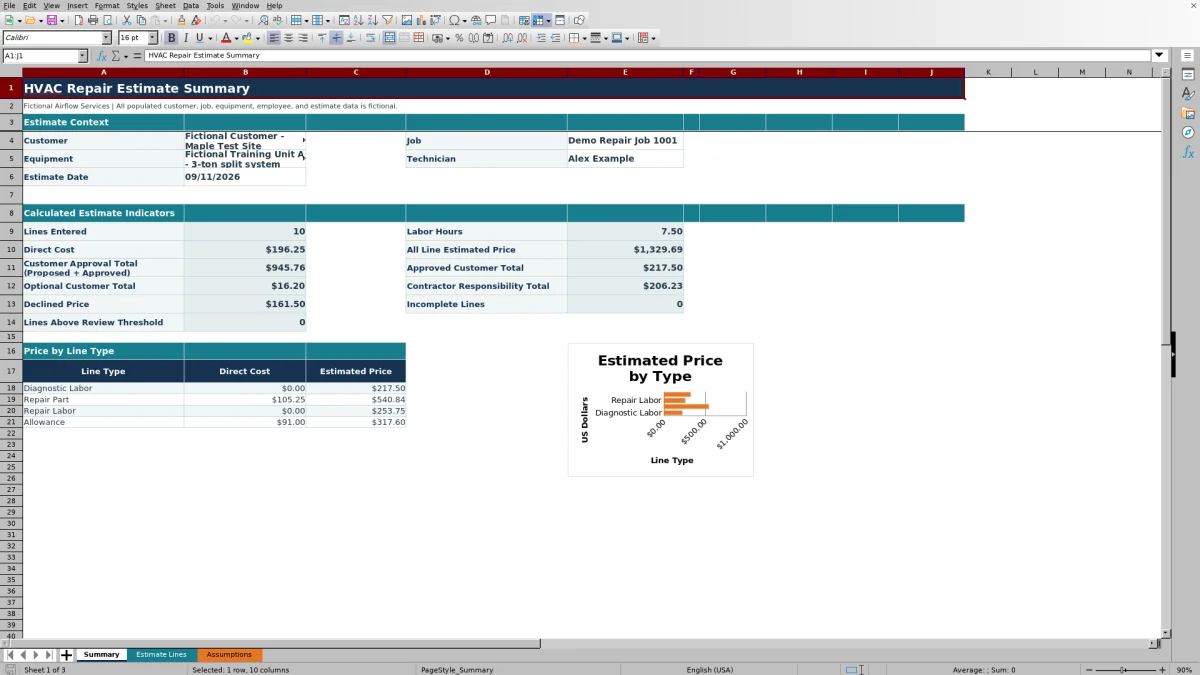
This HVAC repair estimate spreadsheet is an editable Excel workbook for laying out diagnostic labor, repair parts, repair labor, and allowances for one repair job.
Enter the job context and line details, then review customer approval, optional, contractor, and declined totals before deciding what to present or revise.
How this template can help
- Separate material quantities and costs from labor hours and labor pricing.
- Group proposed, approved, optional, contractor-responsibility, and declined amounts for review.
- Use entry limits and predefined choices to keep common estimate inputs consistent.
- Spot incomplete lines and prices above the workbook’s review threshold.
What the workbook contains
How to get started
1. Replace the fictional job details
Open Estimate Lines and update Customer, Job, Equipment, Technician, and Estimate Date. The included names and job information are fictional examples. Store the file where access to customer, employee, equipment, and pricing information is controlled.
2. Review the assumptions first
On Assumptions, check the pricing defaults for each line type, including Default Markup and Labor Rate. Also review the unit, responsibility, status, technician, date, and numeric entry choices. These starting values are planning inputs, not mandatory market rates.
3. Enter the repair scope
Use the light orange input cells on Estimate Lines. Treat each row as one repair component or activity, then enter its description, quantity, unit, labor hours, unit cost, responsibility, and status. Rows 11 through 110 provide 100 estimate lines. Do not type over the formula-driven Line, Extended Cost, Markup, Labor Rate, Labor Price, or Estimated Price columns.
4. Review and preserve the decision record
Use Summary to check labor hours, direct cost, all-line pricing, and the decision totals associated with responsibility and status. The workbook does not maintain approval history, so save a clearly named copy before changing a status or revising an estimate that has already been presented.
Organize the Repair Scope by Line Type
Select Diagnostic Labor, Repair Part, Repair Labor, or Allowance in the Line Type column. The selected type connects the row to its default markup and labor rate on Assumptions, so choose the type that reflects the work being estimated.
Use Responsibility to identify Customer, Contractor, or Other. Use Status to mark the line Proposed, Approved, Declined, or Optional. These fields affect the Summary totals; they do not document a signature or independently confirm customer authorization.
An Other-responsibility line remains in All Line Estimated Price. It does not have a dedicated responsibility subtotal on Summary, although a declined line is included in Declined Price regardless of responsibility.
Understand the Repair Pricing Calculations
The workbook calculates Extended Cost as quantity multiplied by unit cost. Labor Price is labor hours multiplied by the labor rate associated with the selected line type.
Estimated Price combines the marked-up extended cost with labor price: Extended Cost × (1 + Markup) + Labor Price. Review both defaults after selecting a line type because an unsuitable markup or labor rate affects every estimate result that uses it.
On Summary, Direct Cost is the sum of the Extended Cost column. It does not include a separate internal labor-cost amount. All Line Estimated Price includes the calculated selling price from every entered line.
Worked HVAC Repair Estimate Scenario
Assume a fictional 09/11/2026 estimate contains one Repair Part line. Enter a quantity of 2, a unit cost of $30.00 each, 1.00 labor hour, Customer responsibility, and Proposed status. The Assumptions sheet supplies the Repair Part defaults of 35% markup and a $145.00 labor rate.
The extended cost is $60.00. A 35% markup adds $21.00 to the part pricing, and one labor hour produces a $145.00 labor price. The workbook returns an estimated line price of $226.00.
With no other lines, Summary shows one entered line, 1.00 labor hour, $60.00 of direct cost, and $226.00 for both All Line Estimated Price and Customer Approval Total. Approved Customer Total remains $0.00 because the status is still Proposed. Confirm the scope and customer responsibility next. If approval is documented outside the workbook, change the status to Approved; the approved total then reflects $226.00 while the broader approval total remains unchanged.
Read the Approval and Review Indicators
Customer Approval Total includes customer-responsibility lines marked Proposed or Approved. Approved Customer Total is the approved subset, while Optional Customer Total keeps customer options separate. Contractor Responsibility Total includes contractor lines unless they are Declined. Declined Price reports declined lines separately.
Lines Above Review Threshold counts estimated prices greater than the threshold stored under Entry Limits on Assumptions. Use that count as a prompt to inspect high-value lines, not as proof that the amount is incorrect. The line-type summary and chart help show how estimated price is distributed among the four line types.
Before presenting a total, compare All Line Estimated Price with the customer, contractor, optional, and declined categories. A difference may be intentional, but it should be understood before the estimate leaves the office.
Common Entry Errors and Practical Fixes
- Incomplete Lines is greater than zero: return to Estimate Lines and inspect entered rows for missing line type, quantity, unit, labor hours, unit cost, responsibility, or status.
- Summary remains blank: the workbook counts lines from descriptions in C11:C110. Enter a description for each active row rather than filling only the numeric fields.
- A total is $0.00: zero can be valid when quantity, unit cost, or labor hours are zero. Verify that the values are intentional and that the correct line type supplies the expected rate and markup.
- A value is rejected: use an available list choice or keep the date, quantity, labor hours, unit cost, markup, and labor rate within the limits defined on Assumptions.
- Approved Customer Total does not match All Line Estimated Price: inspect Responsibility and Status. Proposed, optional, declined, contractor, and other lines are categorized differently.
- Expected rows are not visible: clear or adjust the filter on Estimate Lines before concluding that a line was deleted.
If a formula cell in columns H through L was overwritten, compare the file with a clean copy instead of replacing the result with a manually calculated amount.
Workbook Comparison for Repair Estimating
| Criterion | HVAC Sheets workbook | Blank spreadsheet | Field-service management system |
|---|---|---|---|
| Repair-line structure | Includes defined repair line types, input columns, formulas, and 100 prepared rows. | Requires the user to design the columns and calculations. | Structure depends on the selected system and configuration. |
| Pricing review | Calculates line pricing and provides responsibility, status, threshold, and incomplete-line indicators. | Provides only the checks and formulas the user builds. | Pricing and review controls vary; verify them before relying on a system. |
| Approval record | Manually categorizes proposed, approved, optional, and declined lines but does not capture signatures. | Must be created and maintained manually. | Approval capabilities vary by system and subscription. |
| Workflow scope | File-based estimating with no verified dispatch, messaging, payment, or accounting integration. | File-based unless separate tools or processes are added. | May suit teams that need broader mobile or office workflows, subject to product verification. |
Choose this workbook when you want an editable XLSX for a structured repair estimate and can manage file versions manually. A blank sheet may fit a highly customized one-off calculation. Consider a field-service system when connected dispatch, mobile, customer communication, or payment workflows are required, after confirming the specific product’s capabilities.
Operational Limits and Record Handling
This workbook organizes estimate inputs and calculated prices. It does not diagnose equipment, size replacement equipment, confirm parts availability, test field conditions, certify a design, or establish code, safety, warranty, licensing, legal, environmental, accounting, or tax requirements.
The verified sheets do not contain dedicated tax, discount, payment-processing, actual-cost, signature, or revision-history fields. Treat the results as an estimate record rather than a final invoice or signed approval. Add business-specific charges or terms only after the appropriate qualified review.
Protect customer names, property details, technician information, equipment descriptions, and pricing. Share only the version needed for the decision, and remove fictional sample records before using the workbook for an actual job.
Frequently asked questions
Can I change the default markup and labor rates?
Yes. Update Default Markup and Labor Rate for the four line types on Assumptions. The cells have numeric limits, and the estimate-line formulas use those values. Review existing lines after a change and save a separate copy if the previous estimate must remain intact.
Why are the Summary results blank?
Summary stays blank when no descriptions are entered in Estimate Lines cells C11:C110. Once a described line exists, totals calculate; categories with no matching amount may then display $0.00. If Incomplete Lines is not zero, finish the missing inputs before relying on the totals.
Does Approved status prove that the customer authorized the repair?
No. Approved is a manual estimate status used by the workbook’s summary formulas. The XLSX does not capture a signature, email response, payment, or other independent evidence of authorization. Follow your company’s approval process and retain the supporting record separately.
Can this spreadsheet be used for an HVAC replacement estimate?
The verified workbook is structured around diagnostic labor, repair parts, repair labor, and allowances. It does not size replacement equipment or provide replacement-specific scope sections. Any adaptation should be reviewed carefully, and equipment selection still requires qualified technical review.
Does Direct Cost include the cost of labor?
No separate internal labor cost is calculated. Summary Direct Cost adds the Extended Cost values from Estimate Lines, while Labor Price uses labor hours and the applicable labor rate. Do not interpret Direct Cost as complete job cost without accounting for labor and any other costs outside this workbook.
Editorial responsibility

Mara KeeneService operations editor

Owen CalderEstimating and controls editor